Buying an add-on
How to add a feature to your account on its own, what it costs for the first part-month, and when the charge lands.
Not every business needs every part of Kooday, and you should not have to move up a whole plan to get one thing. Add-ons let you attach a single feature — Instagram messaging, advanced insights, the sales pipeline — to the plan you are already on, and take it off again when you no longer need it.
Where to find it: Billing in your dashboard, under your plan.
What you can add
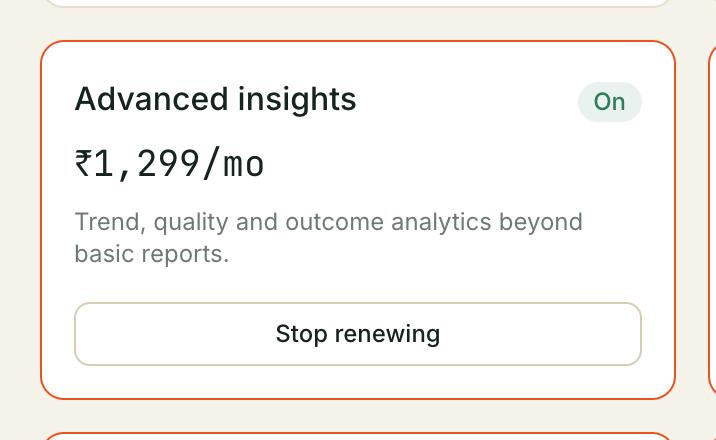
Each add-on shows its monthly price and whether it can go on your plan. Some have conditions, and we tell you which before you can select anything:
- Some need a certain plan or higher. Instagram and Messenger need Starter or above, because those channels are part of what a larger plan is for.
- Some need something else switched on first. Outbound campaigns need a phone number connected to your account — without one there is nothing for a campaign to call, and we would be charging you for something that cannot run.
Where an add-on is not available to you, the reason is on the card, along with what to do about it. You will not find out after paying.
What it costs the first month
An add-on starts working the moment you add it, and your first charge covers only the part of the month that is left.
Your account has a renewal date — the same day every month, set when you signed up, shown at the top of the Billing page. Everything on your account renews together on that date: your plan and every add-on, on one invoice. So if your renewal date is the 18th and you add something on the 28th, the first charge is for the 21 days to the next 18th, not for a full month. After that it is the full monthly price, on the same invoice as everything else.
Why one date rather than the 1st of the month? Because everyone being charged on the same day is fragile — one problem at the bank on the 1st, and nobody’s payment goes through. Spreading renewal dates across the month means a problem affects a handful of accounts instead of all of them.
Adding one
Select Add on the add-on you want. It takes effect straight away — there is nothing to schedule and nothing to wait for.
Some add-ons need a connection first
Instagram, Messenger and WhatsApp broadcast all work through an account you connect to Kooday. If that connection is not set up, the add-on says Connect Instagram first (or Messenger, or WhatsApp) and there is nothing to press.
This is deliberate. Buying the add-on without the connection would take the money and switch something on that no message could ever reach. Connect the account first on the Integrations page, then come back and add it — the button appears as soon as the connection is live.
If the add-on has its own setup beyond that, the next step appears once it is on.
Still stuck? We answer support mail the same working day.
Email support