Connecting your own systems
How connectors work — the named REST endpoints Kooday pulls contacts from and pushes events to, how their credentials are stored and rotated, and how to test and trace a delivery.
A connector is one of your own HTTP endpoints, saved in Kooday under a name you choose, with its credential encrypted alongside it. Once saved, that name is how everything else in Kooday refers to your system: a campaign that pulls contacts from your CRM, an event that fans out to your automation platform, a tool your assistant calls mid-conversation, a booking action that confirms against your back office. One endpoint, saved once, credential rotated in one place.
You can have as many as you like. They are named, not typed — two connectors pointing at two different systems, or at the same system with different credentials, are perfectly normal. The only rule is that a name is unique within your account.
Two directions, and the direction decides everything. A read connector is one Kooday fetches from. A write connector is one Kooday sends to. Nearly every question about what a connector will and will not do is answered by which of the two it is.
Where to find it: open Integrations in your dashboard. Only team members with admin access can open it, and generic REST connectors need API access on your plan.
This page is the connector itself. For the catalogue of events you can send — what each one means, what its payload looks like, how to verify the signature — see the event reference.
Connectors are the outbound half. Your systems can also call in: an inbound hook is an address on Kooday that your system posts to, signed with its own secret. One of the things it can carry is your catalogue and price sheet — see syncing your catalogue from your POS for what a push can set and how it is reviewed.
The mental model
| Read (GET) | Write (POST) | |
|---|---|---|
| The dashboard calls it | Read (GET) — pull contacts in | Write (POST) — push events out |
| Who starts the call | Kooday, when a contact sync runs | Kooday, the moment an event fires |
| What Kooday sends | a GET with your static query parameters | a POST carrying the event envelope |
| What Kooday does with the answer | maps each record into a contact and saves it | nothing — it only cares that you replied 2xx |
| Which config keys apply | headers, auth, query, mapping, pagination | headers, auth only |
The consequence that surprises people most:
Kooday never calls your system while a customer is on the line to decide who they are. Contacts are synced in ahead of time and read locally. There is no live lookup against your CRM at the moment a call is placed.
There is one exception, and it is the one you would want: your assistant can be given a tool that fetches something from your system during a conversation — an order status, a booking slot — and that tool borrows a connector’s credentials by name. That is a deliberate, per-question call your assistant makes, not something the contact system does behind the scenes.
The five-minute version
Using Make.com or n8n? There is a shorter path. Integrations → Connect an automation platform builds the connector, the event routing and a ready-made workflow together, with the callback address already filled in. (The signing secret is shown beside the template rather than written into it — adding the signature is a step you complete in your own platform.) See Connect Make.com or n8n. The steps below are the manual version — still the right one for Zapier, for your own backend, or when you want to see exactly what is being created.
To get Kooday events flowing into n8n, Make, Zapier or your own backend:
- Integrations → New integration → Event webhook.
- Name it something you will recognise —
n8n-prod. - Endpoint URL: the webhook URL your automation gave you.
- Leave Auth secret and Connector config empty if your endpoint is open. Create integration.
- Press Test. You should see
OK — …and a real request should have arrived at your endpoint. - Scroll to Event routing and point the events you care about at the connector you created.
Deliveries start immediately. Before you rely on them, mint a signing secret and verify it — see the event reference.
Step 1 — Choosing a type
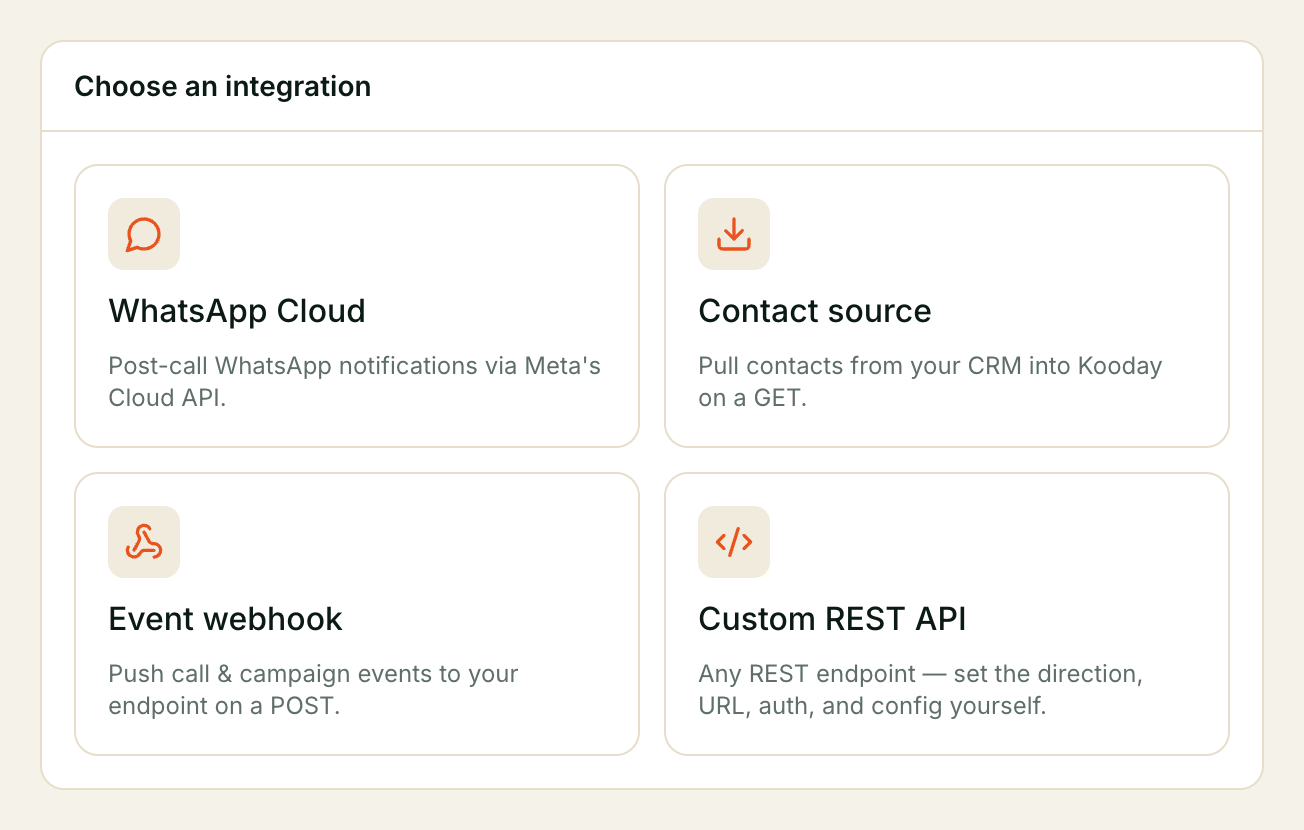
New integration opens a short catalogue: Choose a type of system to connect.
| Tile | What it sets up |
|---|---|
| WhatsApp Cloud | ”Post-call WhatsApp notifications via Meta’s Cloud API.” A channel credential, not a REST connector — see connecting a channel |
| Contact source | ”Pull contacts from your CRM into Kooday on a GET.” A read connector |
| Event webhook | ”Push call & campaign events to your endpoint on a POST.” A write connector |
| Custom REST API | ”Any REST endpoint — set the direction, URL, auth, and config yourself.” |
The tile is a starting point, not a category — the form is the same underneath. Pick the one closest to what you are building.
Step 2 — The form
| Field | Notes |
|---|---|
| Name | ”A label unique to your account.” 1–120 characters. This is the handle everything else uses, so pick something durable — crm-contacts, not test2 |
| Direction | Read (GET) — pull contacts in or Write (POST) — push events out. Fixed after creation |
| Endpoint URL | ”Absolute http(s) URL.” One fixed address — Kooday never appends a path or an id to it |
| Auth secret (optional) | “Bearer token / API key / user:password. Encrypted; never shown again.” |
| Connector config (JSON) | “Non-secret request shape.” See step 4 |
Direction cannot be changed later. Nor can the underlying capability tag Kooday derives from it. A connector created in the wrong direction has to be deleted and rebuilt — and if a campaign or an event route already names it, those need repointing. Get this one right on the first pass.
A duplicate name is refused with an integration named ‘X’ already exists.
Your endpoint must be reachable from the public internet over HTTPS. Kooday
resolves and pins the address before connecting, and refuses private, loopback
and cloud-metadata addresses outright — an endpoint on your office LAN or behind
a VPN cannot be reached. Redirects are not followed either: a 301 to the
canonical address is a hard failure, not a hop. Configure the final URL.
Step 3 — Credentials
The secret is encrypted before it is stored and is never returned — not to the dashboard, not to the API, not to us. After saving, the form shows only A secret ending …wxyz is stored. Leave blank to keep it. and the list shows the same last four characters in the Auth column.
There are four ways to present it, chosen in the config’s auth block:
auth.kind | What Kooday sends | Your secret should be |
|---|---|---|
bearer | Authorization: Bearer <secret> | the token. This is the default when a secret exists |
header | <your header>: <secret> — also set "header": "X-Api-Key" | the key |
basic | Authorization: Basic <base64> | user:password, literally, with the colon |
none | no auth header | (leave the secret empty) |
To rotate, edit the connector and type the new secret. Leaving the box empty keeps the existing one; that is why it is a placeholder rather than a value. Typing whitespace is refused rather than silently blanking the credential: auth_secret must not be blank (omit it to keep the existing secret).
Rotation is instantaneous and there is no overlap window — the next request uses the new secret. Rotate in your system first, then here, so the gap is on your side and lasts seconds.
There is no OAuth flow and no refresh-token support. Kooday stores one static secret and sends it unchanged. That is the single biggest constraint on connecting a hosted CRM, and step 8 covers what it means in practice.
The signing secret is a different thing
The auth secret proves you to your system. The signing secret proves Kooday to your endpoint, so a write connector’s receiver can tell a real delivery from anyone who guessed the URL. Mint one per connector:
POST /api/integrations/{id}/signing-secret
→ { "signing_secret": "whsec_…", "signing_secret_hint": "…", "sig_version": 2 }
It is returned once. Store it like a password, and verify every delivery against it — the event reference has the exact computation and a worked example. Minting a replacement takes effect immediately, so deliveries signed with the old secret fail verification until they are retried.
Step 4 — Connector config
The Connector config (JSON) box is the non-secret request shape. The dashboard carries a How to configure panel next to it documenting every key with copyable examples; this is the summary.
| Key | Applies to | What it does |
|---|---|---|
headers | read + write | Extra request headers |
auth | read + write | Which scheme carries the secret (step 3) |
query | read only | Static query parameters merged onto the URL |
mapping | read only | How a record in your response becomes a contact |
pagination | read only | How to walk to the next page |
⚠️
query,mappingandpaginationare silently ignored on a write connector. No error, no warning in the response — they have no effect. The help panel says so, and the panel is the only place that does: “This is a write connector — query, mapping and pagination are ignored; only headers and auth apply.”
Some header names are reserved and are dropped without comment: host,
content-length, transfer-encoding, connection, and anything beginning
x-kooday-. Kooday sets those itself.
Mapping a contact
mapping turns your response into contacts. phone is the only required
field — a record Kooday cannot get a number from is not a contact it can use.
Dot-paths walk nested JSON.
| Key | Meaning |
|---|---|
items_path | Where the array lives — data.items |
phone | Required |
name, email, external_id | Optional |
attributes | A map of your own labels to dot-paths — {"city": "address.city"} |
A worked read connector against a plain REST endpoint:
{
  "auth": { "kind": "bearer" },
  "query": { "status": "active" },
  "mapping": {
    "items_path": "data.items",
    "phone": "phone",
    "name": "full_name",
    "email": "email",
    "external_id": "id",
    "attributes": { "city": "address.city" }
  },
  "pagination": {
    "kind": "page", "page_param": "page", "size_param": "per_page",
    "size": 100, "start": 1
  }
}
pagination.kind is none, page or cursor. A cursor endpoint needs
cursor_param and next_path — the dot-path where the next cursor appears in
your response.
A sync walks at most 50 pages or 20,000 contacts, whichever comes first, and each page must be JSON, under 2 MB, and answered within 30 seconds.
Step 5 — Test
Test on the row runs the connector once, for real, and reports the shape of
what came back: OK — array of 24, OK — object with keys: data, info. A
failure is the actual reason — integration API error 401: …, integration
unreachable, integration returned non-JSON response.
Use it the moment you save, and again after every credential rotation. It is the only place a wrong token surfaces immediately rather than as a red status hours later.
⚠️ Testing a write connector sends a real POST to your live endpoint, with the body
{"test": true}. There is no sandbox mode and no confirmation prompt. Make sure your receiving flow either ignores that body or is safe to run — checking for thetestkey is the usual answer.
A read connector’s test fetches its first page and changes nothing.
Step 6 — Sending events to a connector
Event routing, below the list, is where a write connector starts receiving things. Each event gets a dropdown of your write connectors, defaulting to — none —.
“Send platform events to one of your webhook integrations. Messaging channels (WhatsApp, Instagram, Messenger) aren’t listed — they receive messages, not events; to message a customer after a call, use the bot’s post-call WhatsApp notification. Unmapped events don’t fan out.”
Two things follow:
- An unrouted event goes nowhere, quietly. There is no error and no queued delivery — that is the intended behaviour, and it is also why a webhook that “isn’t firing” is usually a missing route rather than a broken endpoint.
- Messaging connectors cannot be event targets. A WhatsApp or Instagram connector holds a channel credential; it is not an endpoint that can receive an envelope.
Several events can point at the same connector, and they will all verify with that connector’s one signing secret. That is deliberate — the secret belongs to the receiving endpoint, not to the subscription.
Only three events carry friendly names in the dropdown — Call completed,
Per-contact outcome, Campaign finished. Everything else is listed by its real
name, deal.won and the rest. The event
reference is the list of what each one
means and what it carries; the retry schedule, the envelope, the headers and the
signature check all live there too, so they are not repeated here.
Step 7 — Watching deliveries
Two views, for two different questions.
Recent deliveries — press History on a row. One line per attempt,
including every retry, newest first: when, which event, ok or failed, the
HTTP status your endpoint returned, and the reason if it failed. This is where
you look when something arrived late, twice, or not at all. Attempts are kept
for 30 days.
Failed deliveries — a card at the bottom of the page: “Deliveries that exhausted their retries. Fix the integration, then replay to try again.” These have run out of attempts entirely. Fix the cause, then press Replay — a replay re-resolves the connector’s current URL and credentials, so a fix genuinely takes effect.
Broadcast deliveries are the exception and the button says so: “Broadcast deliveries can’t be replayed — a broadcast message is sent once or not at all.”
Neither view can leak your credentials: only status, attempt number and a display-safe reason are recorded. One caveat worth knowing if you write your own error responses — the first 200 characters of your endpoint’s error body are kept as the reason. If your endpoint echoes a token back in an error message, that fragment lands in the log.
When Kooday stops trying
A connector that fails repeatedly is paused rather than hammered: after five consecutive terminal failures, deliveries to it stop for an hour, doubling with each further trip up to a day. Other connectors are unaffected — a broken endpoint cannot slow down a working one.
A paused connector shows as error in the Status column with no separate
badge. If you have fixed the cause and do not want to wait out the pause, clear
it with POST /api/integrations/{id}/resume, then replay the failed deliveries.
Kooday can also tell you it happened: route the integration.unhealthy event to
a different connector, and you get a delivery naming the paused connector, the
failure count and when the pause lifts.
Step 8 — Where else a connector is used
Event routing is the most visible use, not the only one.
| Use | How it names the connector |
|---|---|
| Contact sync for a campaign | A read connector picked in the campaign form’s Integration dropdown |
| The default contact source | The first active read connector tagged as a contact source, when a campaign names none |
| A tool your assistant calls | By name, in the tool’s configuration — the tool borrows the connector’s URL host and credentials |
| Confirming an action against your system | By name, on the action. Saving an action that names a connector you have not created is refused: no active connector named ‘X’ — create the integration first |
If you have two read connectors both tagged as contact sources, which one a campaign uses is not defined. Name the connector explicitly on every campaign that has one, and the ambiguity goes away.
CRMs, and Zoho in particular
The connector speaks plain REST, so a CRM that exposes a contacts endpoint works — shape-wise, at least. The dashboard ships a Zoho example you can paste straight into the config box:
{
  "auth": { "kind": "header", "header": "Authorization" },
  "mapping": {
    "items_path": "data",
    "phone": "Phone",
    "name": "Full_Name",
    "email": "Email",
    "external_id": "id"
  },
  "pagination": {
    "kind": "cursor", "cursor_param": "page_token",
    "next_path": "info.next_page_token"
  }
}
Zoho’s envelope and its cursor pagination are handled properly, and the field names above are Zoho’s real ones. The problem is not the shape, it is the credential. The dashboard says it plainly:
“Zoho note: the secret is a Zoho access token, which expires ~hourly. Unattended sync needs OAuth refresh, which isn’t supported yet — this works for a manual “Sync now” with a fresh token.”
So a Zoho connector is a manual sync: paste a fresh token, run the sync, and
expect 401 about an hour later. The same is true of Salesforce and HubSpot, and
of any system that authenticates with expiring OAuth tokens. If you need
unattended sync from one of those today, the working pattern is a small service
of your own that holds the refresh token, exposes a stable endpoint with a
static key, and lets Kooday read from that.
There is no Zoho integration in the product sense — no sign-in with Zoho, no field picker, no object mapping. There is a REST connector and a worked example of pointing it at Zoho.
What a connector cannot do
Being precise about this saves a lot of wasted configuration.
| Supported | |
|---|---|
| Fetch a contact list and save it into Kooday | Yes |
| Receive platform events at a fixed URL, signed | Yes |
| Lend its credentials to a tool your assistant calls | Yes |
PUT, PATCH or DELETE | No — GET and POST only |
A URL that varies per record, e.g. /contacts/{id} | No — the URL is fixed |
| A request body you compose, or template variables in it | No — a write connector sends the event envelope, unchanged |
| OAuth2, refresh tokens, expiring credentials | No — one static secret |
| Reaching an endpoint on a private network or VPN | No |
| Following a redirect | No |
And the one people ask about most:
⚠️ Writing a deal back into your CRM is not built. Nothing in Kooday updates a record in another system — not a deal, not a stage change, not a note, not a task. A write connector posts an event to your endpoint and stops there. If you want a deal to appear in your CRM, route
deal.createdanddeal.stage_changedto your own automation and let it do the writing. That works today and is the supported pattern; it is your code making the write, not ours.
Limits
| Connectors per account | No limit; names must be unique |
| HTTP methods | GET, POST |
| Request timeout (sync, test) | 30 seconds |
| Response size (sync, test) | 2 MB, and it must be JSON |
| Event delivery timeout | 10 seconds — respond fast, work afterwards |
| Contact sync ceiling | 50 pages or 20,000 contacts per run |
| Delivery attempt history | 30 days |
| Pause after repeated failure | 5 consecutive failures → 1 hour, doubling to a maximum of 24 hours |
Retries, backoff and duplicate semantics for event deliveries are in the event reference.
Troubleshooting
Test says “integration API error 401”
Your endpoint rejected the credential. In order: is auth.kind the scheme your
system actually expects? For basic, is the secret stored as user:password
with the colon? For header, did you set auth.header to the header name? And
if this is a CRM, has the token expired — that is an hour, for Zoho.
Test says “integration redirected (301)”
Redirects are never followed. Put the final address in Endpoint URL —
usually the https:// or www. form your server was redirecting to.
Test says “integration returned non-JSON response”
The response must be JSON even when the status is 200. An HTML error page, an
empty body or a plain-text OK all fail here. For a write connector, return
{"ok": true} rather than nothing.
Events aren’t reaching my endpoint
- Is there a row in Event routing for that event, pointing at your connector? An unrouted event produces nothing at all — no delivery, no error.
- Is the connector’s Direction write? Read connectors cannot be routed to.
- Press History. If attempts are listed and failing, the reason is in the Detail column. If nothing is listed, the event is not routed or has not fired.
- Check Failed deliveries — they may have exhausted their retries hours ago.
The status went red and nothing is arriving now
Repeated failures pause a connector for up to a day. Fix the cause, call
POST /api/integrations/{id}/resume, then Replay the failed deliveries.
The status says “not used” but this connector was working
Any edit clears the health columns — a connector you renamed reads as not used until its next delivery, even if it was failing a minute earlier. Press Test to get a real answer immediately.
Contacts aren’t syncing
Check that the connector’s Direction is read, that the campaign’s
Integration dropdown names it, and that mapping.phone points at a field
that genuinely holds a phone number — a record without one cannot become a
contact.
I removed a connector and deliveries are still failing
Deliveries already queued keep the address they were created with, and appear in Failed deliveries as Legacy webhook. They will exhaust their retries and stop. There is nothing to fix.
A sensible first configuration
Two connectors, which is what most accounts end up with:
Name        n8n-prod
Direction   Write (POST) — push events out
Endpoint    https://n8n.acme.com/webhook/kooday
Auth        (none — the URL is the secret, plus our signature)
Config      {}
Signing     minted, stored in n8n's credential vault

Event routing
  deal.created        → n8n-prod
  deal.stage_changed  → n8n-prod
  booking.created     → n8n-prod
  integration.unhealthy → n8n-prod

Name        crm-contacts
Direction   Read (GET) — pull contacts in
Endpoint    https://crm.acme.com/api/v1/contacts
Auth        bearer, a long-lived service token
Config      { "auth": { "kind": "bearer" },
              "mapping": { "items_path": "data", "phone": "mobile",
                           "name": "full_name", "external_id": "id" },
              "pagination": { "kind": "page", "page_param": "page",
                              "size_param": "limit", "size": 200, "start": 1 } }
One endpoint out, one endpoint in, and every downstream system — CRM, sheets, Slack, calendar — living in your automation platform rather than in Kooday. That is the shape to aim for: Kooday knows one address, and you change what happens next without touching Kooday at all.
Route integration.unhealthy from day one. It is the only thing that tells you a
connector has gone quiet before somebody notices the data stopped.
Still stuck? We answer support mail the same working day.
Email support