Commands you can send from WhatsApp
Everything a rostered team member can ask for by messaging your business number — what to type, what comes back, how the confirm-before-it-writes step works, and how to take a change back.
If someone has added you to the Command Center roster, you can message your business’s own WhatsApp number — the same one customers use — and get straight answers back. This page is the reference for what you can ask.
The companion page, Command Center, is for whoever sets this up: the roster, roles, security flags and history. This one is for you, the person typing.
Two things are worth knowing before the list.
You never have to remember exact wording. Ask in your own words and your
assistant works out which command you meant. The keywords below are a shortcut,
not a syntax — today is faster to thumb-type than “how did we do today”, and
both work.
Anything you TYPE that changes data asks you first. Reads come straight back. Writes show you what they are about to do and wait for a yes. Nothing is written on the strength of one message you typed. The one exception is a file you forward, which is already the whole instruction rather than a sentence to be read back — it goes straight into the approval queue instead, where a manager sees it before any customer does. See Sending a PDF instead of typing below.
Send help to see your own list
Your assistant replies with the commands you can use, which may be fewer than the ones on this page — see Why your list may be shorter below.
Where the list is short enough, the reply also carries up to three tappable buttons for the most common questions. Only three fit, so most of the commands on this page have no button — you type the word instead. Once your list grows past what WhatsApp allows in a message with buttons, the reply arrives as plain text with no buttons at all: the full list always wins over the shortcuts. Nothing is lost when that happens, and every command is still typed the same way.
Tapping a button and typing its word do the same thing.
Every command
This list is generated from Kooday’s own code, so it always matches what your assistant actually answers to.
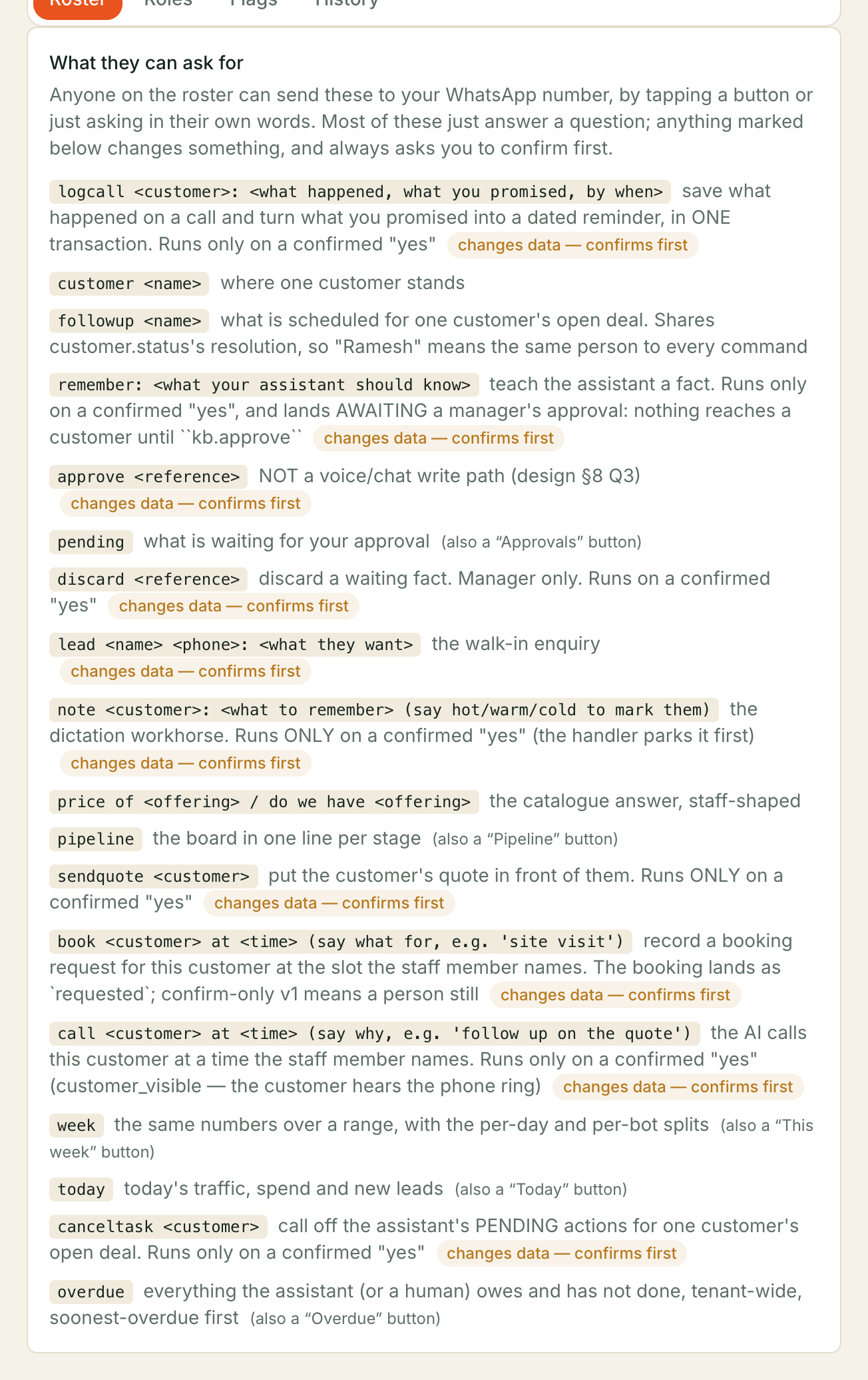
There are 30 commands: 15 that only look something up and answer straight back, and 15 that change something and ask you first.
| Shortcut | What to type | What it does | Who can send it | Asks you first |
|---|---|---|---|---|
remember | remember: <what your assistant should know> | teach your assistant something new — a manager approves it before customers hear it | Manager, Human Agent | yes |
pending | pending | see what is waiting for your approval | Manager | — |
approve | approve <reference> | get pointed to the dashboard to finish approving something waiting | Manager | yes |
discard | discard <reference> | throw away something that was waiting for approval | Manager | yes |
today | today | today’s traffic, spend and new leads | Manager, Human Agent | — |
week | week | the same numbers over a longer stretch, split by day and by assistant | Manager | — |
pipeline | pipeline | the board in one line per stage | Manager | — |
hot | hot | the deals running hot, and the ones waiting on a person | Manager | — |
customer | customer <name> | where one customer stands | Manager, Human Agent | — |
overdue | overdue | everything your assistant owes and has not done yet, across the business | Manager, Human Agent | — |
followup | followup <name> | what your assistant has planned next for one customer | Manager, Human Agent | — |
price | price of <offering> / do we have <offering> | what you charge for something, and whether you have it | Manager, Human Agent | — |
won | won | what you closed as won over a stretch, one line per currency | Manager | — |
deal | deal <customer> | one customer’s deal in full — where it stands and what happens next | Manager, Human Agent | — |
insights | insights | how much your assistant handled, how much without you, and how fast | Manager | — |
usage | usage | what you have used and what you have been charged this month | Manager | — |
manual | manual | how many conversations a person has taken over from your assistant | Manager, Human Agent | — |
note | note <customer>: <what to remember> (say hot/warm/cold to mark them) | save a note about a customer, and mark them hot, warm or cold | Manager, Human Agent | yes |
lead | lead <name> <phone>: <what they want> | add a new customer to your list and save what they asked for | Manager, Human Agent | yes |
sendquote | sendquote <customer> | send a customer the quote you have drafted for them | Manager | yes — and your customer receives something |
instruct | instruct <customer>: <what the assistant should always do> | tell your assistant something to remember every time it talks to one customer | Manager | yes — and your customer receives something |
stopinstruction | stopinstruction <customer> | stop what your assistant has been told to remember for a customer | Manager, Human Agent | yes |
canceltask | canceltask <customer> | call off what your assistant has planned for one customer | Manager, Human Agent | yes |
schedulecall | call <customer> at <time> (say why, e.g. 'follow up on the quote') | ask your assistant to ring a customer at a time you name | Manager, Human Agent | yes — and your customer receives something |
schedulemsg | message <customer> at <time> (sends your assistant's follow-up) | ask your assistant to WhatsApp a customer its follow-up at a time you name | Manager, Human Agent | yes — and your customer receives something |
book | book <customer> at <time> (say what for, e.g. 'site visit') | record a booking request for a customer at a slot you name | Manager, Human Agent | yes |
logcall | logcall <customer>: <what happened, what you promised, by when> | save what happened on a call and turn what you promised into a reminder | Manager, Human Agent | yes |
campaign | campaign <name> | how a calling campaign is going, and who is up next | Manager | — |
pausecampaign | pausecampaign <name> | stop a calling campaign from calling anyone else | Manager | yes |
startcampaign | startcampaign <name> | begin calling everyone on a campaign’s list | Manager | yes — and it leaves your business |
Who can send it is what we ship, not necessarily what your business has
set. Whoever administers your account can widen or narrow any row from the
Roles tab, and can rename either role — so Manager and Human Agent may
read differently on your own screen. Your own list is always the one help
sends back.
The shortcut is a shortcut, not a syntax. Ask in your own words and your assistant works out which command you meant; the words above are only faster to thumb-type.
The rest of this page is the detail behind that table: what the reads actually return, what each change looks like before you say yes, and what goes wrong.
Asking for numbers
The reads change nothing, so they answer immediately. What each one actually comes back with, and the details that save a round trip:
customer Rameshis the whole picture of one person — which channels you have reached them on, up to five of their deals with the stage each sits in, and the rolling summary of what your assistant remembers about them.- Names or numbers both work.
customer Rameshandcustomer 9876543210find the same person. If more than one customer matches, your assistant lists them and asks which — it never guesses. todayis calls, completed calls, minutes, new leads and spend.weekis the same figures over a longer stretch, split by day and by assistant.pipelineis one line per stage — how many deals sit there and what they are worth.price of deep cleananswers from your catalogue, phrased for staff — what you charge and whether you have it, not the sentence a customer would get.overdueis the whole business, not only your own work. It is capped, and tells you when there is more.weekaccepts a period in words — today, yesterday, this week, last week, this month, last month. Ask for a period in words rather than dates; your assistant does not know today’s date and will not guess one.pipeline’s numbers are all-time, not this week’s. Each column shows the deals sitting in it right now and what they are worth — so the Won column is every deal you have ever won, not this month’s. Ask forwonwhen you mean a stretch of time. (weekis a different question again: it reports how much work your assistant did — calls, minutes, new leads and what Kooday charged you. New leads are in there; what you closed is not.)wonreports each currency on its own line and never adds them together. Most businesses price everything in rupees and see a single line. If yours does not, you get one line per currency followed by the note “Each currency is reported on its own — these are not added up.” — because a total across two currencies is a number that means nothing. Nothing is converted at an exchange rate.- A won deal with no value on it is still counted, on its own line — 3 won, value not recorded. It is reported on its own line rather than dropped from the report, which would make it look like you had not won it at all. It is deliberately not inside any currency’s total: there is no number to add. So the per-currency figures and this count are separate, and adding the two counts together gives you every deal you won.
wonaccepts the same periods in words asweek— today, yesterday, this week, last week, this month, last month. Typing the bare wordwongives you this week, which is what the shortcut is set to. The last-30-days default only applies when you ask in a full sentence and name no period at all.hotis two short lists — the deals someone has marked hot, and the deals waiting on a person. Open deals only, five of each at most, and it tells you how many more there are. A deal nobody has marked yet is in neither list: not assessed is a different thing from cold.deal Rameshis one deal in full — its stage and value, whether it is waiting on a person, what your assistant will do next on it, and any standing instruction still in force. It picks the customer’s open deal; a customer can only have one open at a time. If every deal of theirs is closed you get the most recent one, marked (closed) — and a customer with no deal at all is told apart from a customer nobody can find.manualcounts the handover, not unread messages. It is how many conversations a person took over from your assistant and has not handed back — some of them may well be finished. Hand one back from the Inbox.insightsis how much your assistant handled — conversations, calls, how much went without you, the typical reply time and your busiest hours. It takes a period in words likeweekdoes.usageis the calendar month,todayis today.usageanswers “where am I against this month’s bill”, so its period is month-start to today — the same period an invoice is cut for. It also shows the minutes you have left, and shows nothing there if your account has no minute allowance to run down.- A figure with nothing behind it is left out, never shown as zero. If
nobody messaged you,
insightsprints no reply time and no percentage rather than 0%. The same rule holds everywhere: when your assistant could not read something it says Some of that I could not read just now and omits that number, rather than reporting it as none.
Making a change
Every command that changes something shows you the change and waits for a yes — the table above marks which ones those are. The worked examples below cover the ones with something to catch you out.
Dictate a note. Type or say it:
note Ramesh: wants delivery by Friday, seemed hotYour assistant reads it back before saving anything:
Save a note on Ramesh: “wants delivery by Friday” and mark them hot — reply yes or no.
Reply yes and it saves. What it does, precisely:
- The note lands on that customer’s newest open deal. If they have no open deal, it saves against the customer instead and tells you so.
- Saying hot, warm or cold also marks the deal. Without an open deal there is nothing to mark, and your assistant says that rather than dropping it quietly.
- If the customer is new to your records, nothing is written — your assistant cannot save a note about someone it has never heard of.
⚠️ A note is for your team, not for your assistant. It is stored on the deal and shown in the dashboard, and it is not fed into what your assistant says to customers. To change what your assistant says about one customer, use
instructbelow — a separate command on purpose, because the two do very different things.
Log a call you just had — and turn what you promised into a reminder.
This is the one to use after you put the phone down. Say what happened and what you promised, and both are saved from one message:
logcall Priya: wants a quote for the balcony grill, I said I'd send it
Wednesday at 9. She's serious, mark her hot.
I will save this on Priya:
- “wants a quote for the balcony grill”*
- mark them hot*
- remind you Wed 20 Aug, 9:00 am — send the balcony grill quote* — reply yes or no.
Reply yes and three things happen together: the note is saved on Priya’s open deal, her deal is marked hot, and a reminder for you goes on the board for Wednesday morning. If Priya has no open deal, one is opened for her.
The reminder time you see is the real date and time, worked out in your own time zone, not the words you said — so you can catch a misunderstanding before anything is saved. Reply no and nothing at all is written.
What to expect:
| What happens | Why |
|---|---|
| You promise something with no date — “I said I’d send a quote” | The note is saved and no reminder is set. Your assistant tells you so and asks for a time. Say “by Friday at 3pm” or “tomorrow at 11” and send it again. A reminder on a day you did not choose is worse than none. |
| You log a second promise for the same customer | The new reminder replaces the old one, and the reply names the date it replaced. You are never left with two. |
| You log a call with no promise at all | Just the note and the temperature. That is fine, and it is not an error. |
| Your assistant cannot tell which customer you mean | Nothing is written. It lists the matches and asks. |
⚠️ A reminder only reaches your inbox if follow-up notifications are switched on. Otherwise it appears as a card on your pipeline board and nothing is emailed to anyone — which looks exactly like a reminder that never fired. Your assistant warns you about this on the confirmation, every time, so you find out before you rely on it. Whoever administers your account can turn notifications on under pipeline settings.
While your reminder is open, your assistant holds off following up with that customer itself. You told it you are handling this one personally, so it stops chasing until your reminder is dealt with.
Call off a planned follow-up.
cancel the task for RameshCancel the assistant’s planned actions for Ramesh — reply yes or no.
This cancels everything still pending on that customer’s open deal. Anything already under way cannot be pulled back, and your assistant tells you when that happened rather than pretending it stopped.
The shortcut word is canceltask, not cancel — on its own, cancel means
“drop what we were just doing”.
Add a walk-in as a new lead. This is the one to use standing in front of someone who has just enquired:
lead Ramesh 9876543210: wants the 2BHK, seemed hotAdd Ramesh (9876543210) as a new lead with the note “wants the 2BHK” and mark them hot — reply yes or no.
A phone number is the one thing this cannot do without — a lead nobody can ring is not a lead. Give it a name and no number and your assistant asks What’s Ramesh’s number? and remembers the rest, so your next message only has to be the number.
Sending the same lead twice does not create a second customer. If that number
is already on your list, your assistant uses the record you already have and says
so — “Ramesh was already on your list, so I used that record.” Any note you
sent still lands on them. A duplicate Ramesh would be worse than a repeated
message: every later note, logcall and sendquote would then have to ask
which one you meant.
Send a customer the quote you have drafted.
sendquote RameshSend Ramesh the INR 45,000.00 quote — reply yes or no.
This is one of the commands that put something in front of a customer — the table above marks every one of them in its last column. Sending a price is a commercial decision rather than an operational one, which is why what we ship narrows it to managers; whoever administers your account can widen it from the Roles tab.
The confirmation names the total, not just the customer, because “send Ramesh the quote” is not something you can check and “send Ramesh the INR 45,000.00 quote” is. If the total cannot be read for any reason, the confirmation says their draft quote rather than inventing a figure.
What to expect:
| What happens | Why |
|---|---|
| There’s no draft quote for Ramesh to send. | It sends the newest draft quote for that customer. Draft one in the dashboard first. |
| Your assistant lists matches instead of sending | More than one customer matched the name. Nothing is sent — send it again with the full name or their number. Guessing here would send one customer another’s price. |
| A refusal in your assistant’s own words | The quote itself cannot move yet — an applied offer waiting for approval, for instance. The reason is repeated to you verbatim, so it is something you can act on. |
Record a booking.
book Ramesh at tomorrow 11 for a site visitI will record a BOOKING for Ramesh at tomorrow 11 — reply yes or no.
The booking lands as a request, and it stays on the deal until a person confirms it. Nothing is sent to the customer at this step, and nothing is promised to them.
Sending a second booking for the same customer moves the existing one rather than adding another; the reply says Updated rather than Recorded when that is what happened. The exception is a booking already being acted on — then you get That booking is already being made — too late to change it here. and nothing moves.
Send a customer their follow-up at a time you choose.
message Ramesh tomorrow at 11I will send Ramesh your assistant’s follow-up on WhatsApp, tomorrow at 11 — reply yes or no.
Reply yes and it goes on the board for that time. The shortcut word is
schedulemsg.
You are choosing the moment, not the words. What goes out is the follow-up your assistant already had for that deal — the next step it wrote down after its last conversation with that customer, or, failing that, the follow-up wording set on the column the deal is sitting in. The reply quotes the message back to you in full, so you can see exactly what the customer will receive before it is sent.
There is no way to dictate the message itself, and that is deliberate: a command that put your words straight onto a customer’s phone would sit outside every brand and consent control your assistant applies to everything else it sends.
| What happens | Why |
|---|---|
| Your assistant has nothing to say for that deal | Nothing is scheduled. It will not make a message up. Set the follow-up wording on that column, or let your assistant talk to the customer once first. |
| You schedule a second message for the same customer | The existing one is moved to the new time and the reply names the time it replaced. You are never left with two. |
| Your assistant already has its own follow-up programme queued for that customer | Nothing is scheduled and nothing is overwritten. That queued message carries an approved template your dictated one would have thrown away, so your assistant names it and leaves it alone. Send canceltask for that customer first if you want yours instead. |
| The message is already going out | It is too late to move, and your assistant says so rather than pretending it stopped. |
| The time falls outside your messaging hours | It is moved to the next allowed time and the reply says so. Messages your business starts are held to 9am–9pm, narrowed further by any messaging hours you have set. |
| The deal is closed, taken over by a person, snoozed, or sitting in a column your team works by hand | Nothing is scheduled. Your assistant only messages on deals it is running, and it says which of these stopped it so you can change it in the dashboard and ask again. This is the common one: a brand-new customer lands in your first column, and if your team works that column by hand your assistant will not send on it. |
| The customer has opted out, or asked you to stop following up on this deal | Nothing is scheduled, and no wording on your side changes that. |
| This deal has already had every follow-up it allows | Nothing is scheduled. Worth a personal touch instead. |
⚠️ WhatsApp only lets a business message a customer freely for 24 hours after that customer’s last message. After that, only a template Meta has approved may go out. If the time you pick falls outside those 24 hours and your approved follow-up template is not in place, nothing is scheduled — your assistant refuses on the spot and tells you why, rather than accepting and going quiet on the day. Pick a time inside 24 hours of their last message, or ask whoever administers your account to get the follow-up template approved.
Telling your assistant how to handle one customer
instruct gives your assistant a standing instruction about one person. Not a
note about them — an instruction it follows when it talks to them.
instruct Ramesh: always mention the annual discount, and never quote a
handover date before March
Tell the assistant, whenever it talks to Ramesh: “always mention the annual discount, and never quote a handover date before March” — reply yes or no.
Reply yes and your assistant confirms when it takes effect:
Done. From their next message or call, the assistant will know that about Ramesh.
What that means, precisely:
- From their next message or call, on every channel. WhatsApp, web chat and phone calls all read the same brief, and it is rebuilt for each incoming message — so a conversation already in progress picks it up on its next turn. Nothing is deployed and no prompt is edited.
- It is about the person, not one deal. Closing the deal does not switch the instruction off; it keeps applying to whatever they come back for.
- It stacks. Send
instructagain and the customer has two. Your assistant uses the ten most recent — an eleventh pushes out the oldest. - Keep it to a couple of sentences. A dictation longer than about 2,000 characters is shortened to fit before it is saved, and you are not warned. An instruction that long is not one your assistant can follow anyway.
This is the one change on this page whose effect is open-ended: sending a quote reaches one named customer once, while a standing instruction changes every conversation with that person until someone withdraws it. That is why what we ship narrows it to managers.
Stop an instruction.
stopinstruction RameshYour assistant reads back exactly what it is about to stop, word for word:
Stop all 2 standing instructions for Ramesh: “always mention the annual discount”; “she prefers Malayalam” — reply yes or no.
Reply yes and none of them reach your assistant from that customer’s next message onward. They are not deleted — the dashboard still shows them, switched off, so what were we telling the assistant in August? stays answerable.
There is no way to stop one of several from WhatsApp: the command withdraws all of them, which is why it names each one first. To keep some, stop them all and send the ones you want back.
If the customer has no standing instructions, your assistant says so rather than pretending it stopped something. And if it could not read them at all, it says I couldn’t read what the assistant is being told about Ramesh, so I’ve changed nothing — never a false all-clear, because the instructions would still be reaching your customers.
Saying yes, saying no
While something is waiting on you:
| You send | What happens |
|---|---|
| yes, or the Yes button | It runs, and you get the result |
| no, the No button, or cancel | Nothing is done — Cancelled — nothing was done. |
| Anything else | The pending change is dropped and your new message is treated as a fresh request |
Three things follow from that, and they are all deliberate:
- A qualified reply is not a yes. yes runs it. “yes but make it Tuesday” does not — that is a new instruction, so your assistant starts again rather than saving the original wording and silently ignoring your correction.
- You have 15 minutes. After that: That confirmation has expired — nothing was done. Send the command again if you still want it. The wait is deliberately long enough to answer a customer mid-conversation and come back.
- Two people cannot both approve the same thing. If a second yes arrives after the first has run, it is told That was already handled — nothing more was done.
Said yes to the wrong thing? See Taking a change back — you have the same fifteen minutes.
Taking a change back
Send undo, on its own, and your assistant takes back the last change you made — for fifteen minutes after you made it, the same window a confirmation waits for.
undoTaken back — that note is off Ramesh, and their rating is cleared again. It stays in the record, marked withdrawn.
Four things to know, because they are the difference between undo being useful and undo being a surprise:
- It is the last change you made, and only one step. Sending undo twice does not walk back to the change before it — the second time you are told there is nothing else to undo. A colleague’s changes are never yours to take back, and yours are never theirs.
undois the whole message. “undo the note on Ramesh” is treated as a new instruction, not as the word — the same rule that makes “yes but make it Tuesday” a fresh request rather than a yes.- A withdrawn note is not a deleted one. It stops counting against the customer and stays visible in the dashboard, greyed out, so what was recorded at the time is still answerable afterwards.
- If someone has changed the same thing since, nothing is taken back. If a colleague has re-rated that customer, or your assistant has planned something new for them, you are told so and everything is left exactly as it is — rather than half of it being reversed. The one thing undo leaves alone without stopping is a name: if the customer has been given a real name since, that name is kept, because a name somebody typed is worth more than one your assistant picked up from a sentence.
What undo can and cannot take back:
| What you did | Sending undo |
|---|---|
note — a dictated note, with or without a hot/warm/cold rating | Takes it back: the note is withdrawn, the rating goes back to what it was, and a name your assistant learned from it is unlearned (unless someone has named the customer properly since) |
canceltask — calling off a planned follow-up | Puts what you cancelled back on the board |
sendquote — sending a customer a price | No. That quote has already gone to them, so I can’t take it back. Send them a new price if it was wrong. |
lead — adding a customer | No. The customer record is already on your board; correct or archive them in the dashboard |
logcall — a call and its reminder | No. The note and the reminder go together; send canceltask to drop the reminder and edit the note in the dashboard |
schedulecall — asking your assistant to phone a customer | No. That call is already on its way to them, so I can’t call it off from here. Send canceltask for them if it has not gone yet |
schedulemsg — asking your assistant to WhatsApp a customer | No. I can’t unsend a WhatsApp message, but this one is scheduled, not sent. Send canceltask for them and it is called off, unless it is already going out |
book — a booking request | No. Send canceltask for that customer and the whole booking is called off |
remember / approve / discard — knowledge | No. A fact waiting for approval is thrown away with discard; an approved one is turned off in the dashboard |
instruct — a standing instruction for one customer | No. I can’t undo that from here — the assistant may already have used it. Send stopinstruction with the customer’s name to stop it using that from now on |
stopinstruction — withdrawing a standing instruction | No. I can’t put those instructions back from here. Send instruct with what you want the assistant to say, and it starts using it again |
| sending a PDF — forwarding a file into your knowledge base | No. That file is waiting for a manager’s approval, not live, so nothing in it has reached a customer. Send discard with the reference from the reply and the whole file goes — or ask a manager to, if discarding is not yours |
pausecampaign — stopping a campaign | No, and not because it cannot be reversed. Restarting a campaign means calling people, and undo does not stop to ask you anything — so your assistant will not do it from one word. Send startcampaign and its name, and you get the head count first |
startcampaign — starting a campaign | No. Calls have already started going out, and a call that has been made cannot be taken back. Send pausecampaign and its name to stop it calling anyone else |
Everything in that second half tells you why, not just no — so you know whether the customer has already seen something, and where to go instead.
⚠️ Nothing changes a customer’s experience can be undone. Once a price has reached someone’s phone, or a call is on its way, there is no taking it back from here — which is exactly why those are the commands that ask you to confirm first.
There is one row in that table for a different reason, and it is worth reading twice. Pausing a campaign is reversible — restarting it is the opposite of pausing it. Your assistant still will not do it from undo, because undo does not stop to ask you anything, and restarting a campaign starts calling people. Anything that puts calls on the line asks you first, every time, with the number of people in front of you — so that is the way back, not this one.
If you send undo with nothing to take back, or more than fifteen minutes after the change, your assistant says so and does nothing.
Sending a voice note
Every command works dictated. Record a voice note instead of typing and your assistant transcribes it, then treats it as though you had typed it — confirmation step included. Dictating a note after a customer meeting is what this was built for.
If the audio cannot be made out, you get no reply rather than a guess.
Why your list may be shorter
Two people on the same roster can see different commands.
Your role. Whoever set this up gave you a role, and roles carry different access. Out of the box there are two — Manager and Human Agent — and the Who can send it column above is what each one ships with. The manager-only ones fall into two groups: business-wide reporting, which is not usually every agent’s to see, and the two decisions a second person should make — approving what your assistant is taught, and sending a customer a price.
Your business’s own settings. Roles are configurable, and custom ones can be added. If a command has been taken away from your role, it stops being offered rather than failing when you try it.
If you ask for something outside your access, your assistant says You do not have access to that one. — ask whoever manages your roster.
When something does not work
| What you see | What it means |
|---|---|
| Too many commands at once — give it a minute and try again. | More than ten commands in a minute, counted per person. Wait a minute. |
| That is not something I can do. followed by your list | Your assistant could not match your message to any command. The list follows so you can pick one. |
| That option has expired. Here is what you can ask for now: | You tapped a button from an older message. Use the fresh list underneath. |
| There is nothing pending for that to answer. | A yes or no arrived with nothing waiting on it. |
| There is nothing of yours to undo. | You sent undo without having made a change yourself in the last fifteen minutes. |
| I have already taken that one back. | You sent undo twice. It only ever takes back one step. |
| I could not pull that just now. Please try again in a minute. | A temporary fault. Nothing was changed. |
| which customer? give me a name or a phone number | The command needs to know who. Send it again with a name or number. (deal asks which customer’s deal?) |
| I don’t know the period … followed by a list | week and insights take a period in words. Pick one from the list it gives you. |
| … has never messaged you on WhatsApp, so I have no chat to send in. | You asked to message someone who has only ever reached you another way. WhatsApp only lets a business reply to a customer who wrote first. |
| someone on your team has taken over …‘s chat, so I won’t message over them. | That conversation is being handled by a person in the Inbox. Your assistant will not talk across them. |
| …‘s deal sits in a stage your team works by hand, so the assistant doesn’t send on it. | Your assistant only works deals in columns set to run automatically. Move the deal, or message them yourself. |
| An ordinary customer-style reply | See below — this is the important one. |
⚠️ If your assistant answers you like a customer, you are not on the roster. There is no error message for this, by design: your business number is a customer-facing number, and announcing “you are not authorised” to whoever messages it would tell an outsider that a staff entrance exists. The same thing happens if your number was removed, if your dashboard login was deactivated, or if Command Center was switched off. Ask whoever manages your roster to check.
Teaching your assistant something new
remember:
remember: delivery is free on orders above 2,000 rupees
Your assistant reads it back and waits for a yes, the same as any other command that writes something.
Then it waits again. What you add does not answer customers until a manager approves it. Your reply says so: it names a short reference and tells you the assistant will not use the fact yet. Nothing about this is a fault — a wrong fact in your knowledge base gets repeated confidently to every customer who asks, so a second person sees it first.
If a manager sends pending, they get the list of what is waiting, each entry tappable. discard throws one away, and asks for a yes first.
⚠️ Approving is the one thing you cannot finish from WhatsApp. Send approve with a reference and your assistant points you at the dashboard instead of releasing the fact. That is deliberate, not a gap: approving also decides which of your assistants may use the fact, and a chat message cannot show you what that choice means before you make it. The entry is left exactly as pending still shows it — untouched, still waiting, never half-approved.
Anyone on the roster can add a fact. Only a manager can approve or discard one. A manager can approve their own, so a one-manager business is not stuck.
If your team has added facts and your assistant still does not know them, they are waiting for approval. Send pending to see them. Nothing is lost, and nothing is live.
The queue can also be cleared from the dashboard, which is the answer when your manager is away.
Sending a PDF instead of typing
You can also just send the file. Forward a price list or a spec sheet to your business number and your assistant reads the text out of it — no command, no particular wording, nothing to type.
A few things are worth knowing, because they are the ones that surprise people:
- PDFs only, for now. A Word file, a spreadsheet or a photo of a page comes back with a plain “I can only read PDFs right now”. Export it as a PDF and send it again.
- A scan is not a PDF you can send. If the file is a photograph of a page rather than a document with real text in it, there is nothing for the assistant to read and it will say so. Type the part your customers ask about instead.
- It waits for approval like anything else. The reply tells you how many parts it saved and gives you the reference to discard it with if you sent the wrong file. Nothing in it reaches a customer until a manager approves it on the dashboard.
- Big files are refused, not truncated. A file over about 5 MB comes back with a size message. Split it and send the part that matters — half a price list saved silently would be worse than none.
- Sending the same file twice adds nothing. You get “your assistant already has that” rather than a second copy.
undopoints you atdiscard, it does not do it for you. Sending undo straight after a file tells you the file is still waiting for approval and gives you the way to throw it away — it will never quietly reverse the note or the booking you made before the file instead.
Each file you send is kept as its own thing, so January’s price list and February’s do not merge into one lump — removing one will not take the other with it. (The dashboard screen for managing files one by one is still being built; for now, discard from WhatsApp before approving, or ask us.)
Everything you send and everything that comes back is recorded in the History tab for whoever administers your account.
Asking your assistant to call a customer back
call Ramesh at tomorrow 11 to follow up on the quoteI will CALL Ramesh at tomorrow 11 — reply yes or no.
Reply yes and the call goes on that customer’s open deal for that time; if
they have no open deal, one is opened. Like book, a second call for the same
customer moves the first rather than adding a second, and a call already
dialling cannot be moved — That call is already dialling — too late to
reschedule.
The one-word shortcut is schedulecall. You do not need it — “ring Ramesh
tomorrow at 11” reaches the same command.
Two things stop it before anything is scheduled, and both say so:
| What you see | What it means |
|---|---|
| I don’t have a phone number for Ramesh. | Nothing is scheduled. A call with no number to dial would sit on the board and never happen, so it is refused up front rather than accepted and dropped later. |
| I did not catch the time — try “tomorrow at 11” or “Friday at 3pm” | Also that time has already passed and that’s too far out. Your assistant will not guess at “sometime next week”. |
A customer who has asked not to be contacted is not called, whatever you schedule. The scheduled call is passed over at the time it was due, exactly like one your account cannot place — the request being accepted is not a promise that the call happens.
⚠️ The call only actually goes out if outbound calling is set up for your account. Your assistant needs a phone account of your own to dial from, and minutes left to dial with. Without those the scheduled call is passed over rather than placed — it does not retry, and you are not told at the time you scheduled it. If you are not sure, ask whoever administers your account before you rely on it.
Scheduling a message has no such blocker — WhatsApp sending already works, so nothing about your phone account affects it. What bounds it instead is WhatsApp’s own 24-hour rule and the state of the deal itself, which is what the table in that section above lists. Every one of those is checked while you are still reading, not on the day: if the message could not go out, you are told now and nothing is scheduled.
The one thing that check cannot cover is a change made after you schedule. If somebody closes the deal, takes it over, snoozes it, moves it to a column your team works by hand, or the customer opts out between now and the time you picked, the message is dropped on the day and you are not told at the time. That is unavoidable — the question is answered when it is asked — but it is a much narrower gap than a call, where whether the phone account can dial at all is never asked until the moment it dials.
Checking on a calling campaign
campaign Diwali offerDiwali offer — running, 412 people on the list. • 180 answered • 210 still to call • 22 no answer after every try Next up: Ramesh (tried 1x) at 14:30 UTC on 8 Sep
Send campaign on its own and you get the campaigns that are running or paused
right now, so you do not need to remember the name.
A campaign nobody has been added to says so plainly — “…but nobody is on its list yet, so there is nothing to call” — rather than reporting no progress on a list that does not exist.
Stopping a campaign from here
pausecampaign Diwali offerPause Diwali offer — it will stop calling people — reply yes or no.
This is the one worth remembering. If a campaign is calling the wrong list, or saying the wrong thing, or a customer has just complained, you can stop it from wherever you are — no laptop, no login. Reply yes and it stops dialling; the people it has not reached stay on the list, and starting it again picks up where it left off.
Only a campaign that is actually running can be paused. Anything else comes back as “Diwali offer is not running (it is paused), so there was nothing to stop.” — nothing changed, and nothing was quietly started or cancelled instead.
There is deliberately no way to cancel a campaign from WhatsApp. Cancelling retires everyone it had not yet reached and cannot be undone; that belongs on a screen where you can see the list. Pausing is the message-me-from-anywhere control.
Starting a campaign from here
startcampaign Diwali offerStart Diwali offer — this will start calling 412 people — reply yes or no.
⚠️ This one rings real phones. Reply yes and your assistant begins calling everyone on that campaign’s list.
Two things are true of it and of nothing else on this page:
-
It is never a button, and never one word. Some commands can be tapped from the menu, and those can also be sent by typing their shortcut. This one is on no menu and answers to no single word: you have to type the whole thing, or ask for it in a sentence. Starting to call hundreds of people should never be one mis-tap away.
-
The confirmation always tells you how many people. “Start Diwali offer?” asks you to agree to something you cannot see. “…this will start calling 412 people” is a decision you can actually make, so the number is worked out before you are asked. When the campaign is starting a fresh list, the count leaves out contacts you have since made inactive, and leaves out the people an earlier run already reached if the campaign is set to skip them. When you are restarting a paused campaign, it is what that run still has left to do.
It is a count of who will be called, not of who will answer — and people on your do-not-call list are still passed over at the moment of dialling, whatever this number says.
Which means: if the number cannot be worked out, your assistant does not ask you at all. Two cases, both of which say what to do instead.
| What you see | What it means |
|---|---|
| Diwali offer would call nobody — there is no one on its list. | Nothing was started. Add contacts, or change who the campaign targets, first. |
| CRM push builds its call list from your CRM, so I cannot tell you how many people it would ring until it does. Start that one from the dashboard, where you can see the list first. | A campaign that pulls its list from another system only finds out who is on it as it starts. There is no honest number to show you here, so this is one to start from a screen. |
| Wide open’s filter does not narrow anything down, so starting it would call your whole contact book. | The campaign has a filter, but the filter matches everyone. Add a condition to it on the dashboard first. |
A campaign that is already running is not started again — “Live one is already running.” — and everything a campaign does once it is going (calling hours, how fast it dials, how many times it retries) is unchanged by starting it from here. This is the same start button the dashboard has, reached by message.
Still stuck? We answer support mail the same working day.
Email support